Enhance your PC audio
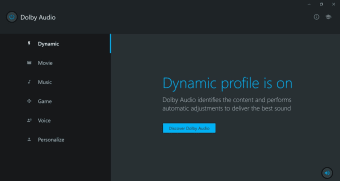
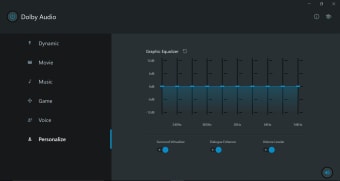
Dolby Audio is a multimedia audio app that provides its users with crystal clear sound, automatic volume control, and enhanced loudness. The app is developed by Dolby Laboratories, which created the app with technologies that use modern audio formatting and signal processing to improve the sound quality of various media.

Unlock your creativity with Adobe Stock
Get 10 images or 1 video with a free trial
The app is commonly mistaken with Dolby Atmos, which is a completely different application with different features— although, both enhance sound. This app was created to help you get more from your existing entertainment by providing a more realistic sound. Some more similar apps include DTS Sound and Windows Sonic.
Elevated entertainment experience
Dolby Audio was created to control volume changes in speech with its dialogue enhancement feature and volume leveling, which helps eliminate any annoying noise present in the sound output. Meanwhile, Dolby Atmos was created to provide users with a 360 degrees sound effect, immersing listeners into the atmosphere of either music or film, which is essentially based on surround sound technology.
Now, while Dolby Atmos works great in streaming sites like Netflix, VUDU, and Maxdrom, Dolby Audio is perfect for PS4, PCs, Amazon, and Netflix as well. Moreover, this application was designed to give you the best quality for more types of content, be it broadcast, download, streaming, and even disc. It also uses other technologies like Dolby Digital, Dolby Pro Logic IIz, Dolby Volume, and more.
When used for PC, the application will help you control the pre-installed Dolby sound technologies available on most of the latest PCs and tablets. Once used, it will dynamically adjust your audio and give you a virtual sound experience for all types of entertainment media. Unfortunately, you can only enjoy these features if you have a Windows 10 OS with 64-bit architecture.
High-quality sound
To wrap it all up, Dolby Audio provides an overall enhancement of sound quality for all types of media. It helps you get more from your system by enhancing dialogue and maximizing the volume of your PC without experiencing any distortion over your speakers or headphones. You can now enjoy virtual surround sound, but only if your system meets the minimum requirements of the application.